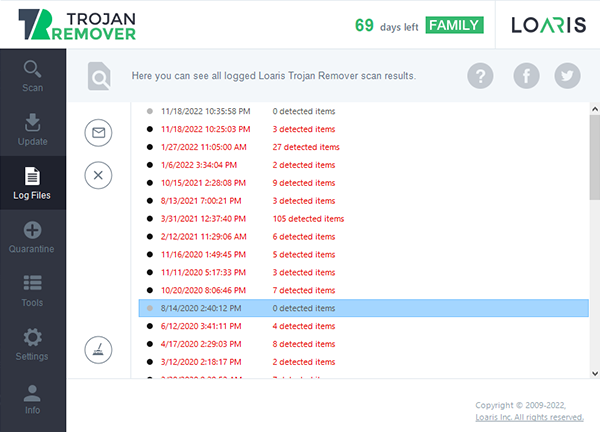
For advanced users and technical support, scan log files are the most valuable resource for understanding what happens during a malware removal process. These reports provide a detailed timeline of every action Loaris Trojan Remover takes to secure your operating system.
The Role of Scan Logs in Professional Malware Detection
Loaris Trojan Remover generates highly detailed security logs that allow you to review every detection, remediation attempt, and repair result. These files are essential for creating a comprehensive security report of the scanning process, providing a granular look at each malicious item found on your PC.
By reviewing these logs, you can identify patterns of infection, see exactly where hidden threats were located, and verify that all cyber vulnerabilities have been properly addressed.
Sending Log Files for Expert Analysis
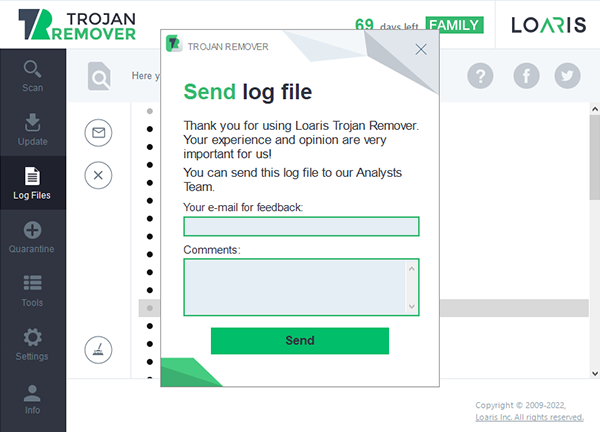
In complex cases where a persistent threat remains active, our technical support team may request your log files. These files allow our experts to perform a manual malware analysis and recommend specific actions to ensure your computer is 100% protected.
Professional Technical Support
If you encounter a unique security challenge, you can submit your scan reports directly through our Support Center. Our specialists will review your data and provide a custom solution for your system cleaning.
Create Support Ticket